Why AI sees your design system but does not understand it
10 min read
Connecting more sources is only the beginning. AI must understand what each source means, how they relate, and which decisions deserve trust across real product workflows.

Founder of Design Systems Surf

A design system is rarely stored in one place. Figma contains components and variables, Storybook shows rendered behavior, code defines APIs and constraints, and documentation explains usage. Token files preserve values and references, while release notes and migration guides add status and history.
A connected system makes information available. An AI-ready system makes its meaning, relationships, status, and authority clear enough to apply.
Giving AI access to these sources is useful, but access does not create a shared interpretation. AI can see that several options exist without knowing why, whether they are still supported, or which source should decide when sources disagree.



PRO
AI can see the system and still miss the decision
A Figma library can tell AI that a button has primary, secondary, and danger variants. Storybook can show those variants in different states. Code can expose properties such as loading and disabled. Documentation may include examples of each option.
This still does not answer when danger should be used, whether destructive actions can enter a loading state, which combinations are unsupported, or what accessibility behavior must remain unchanged.
Those are not properties of the asset. They are decisions about the asset.
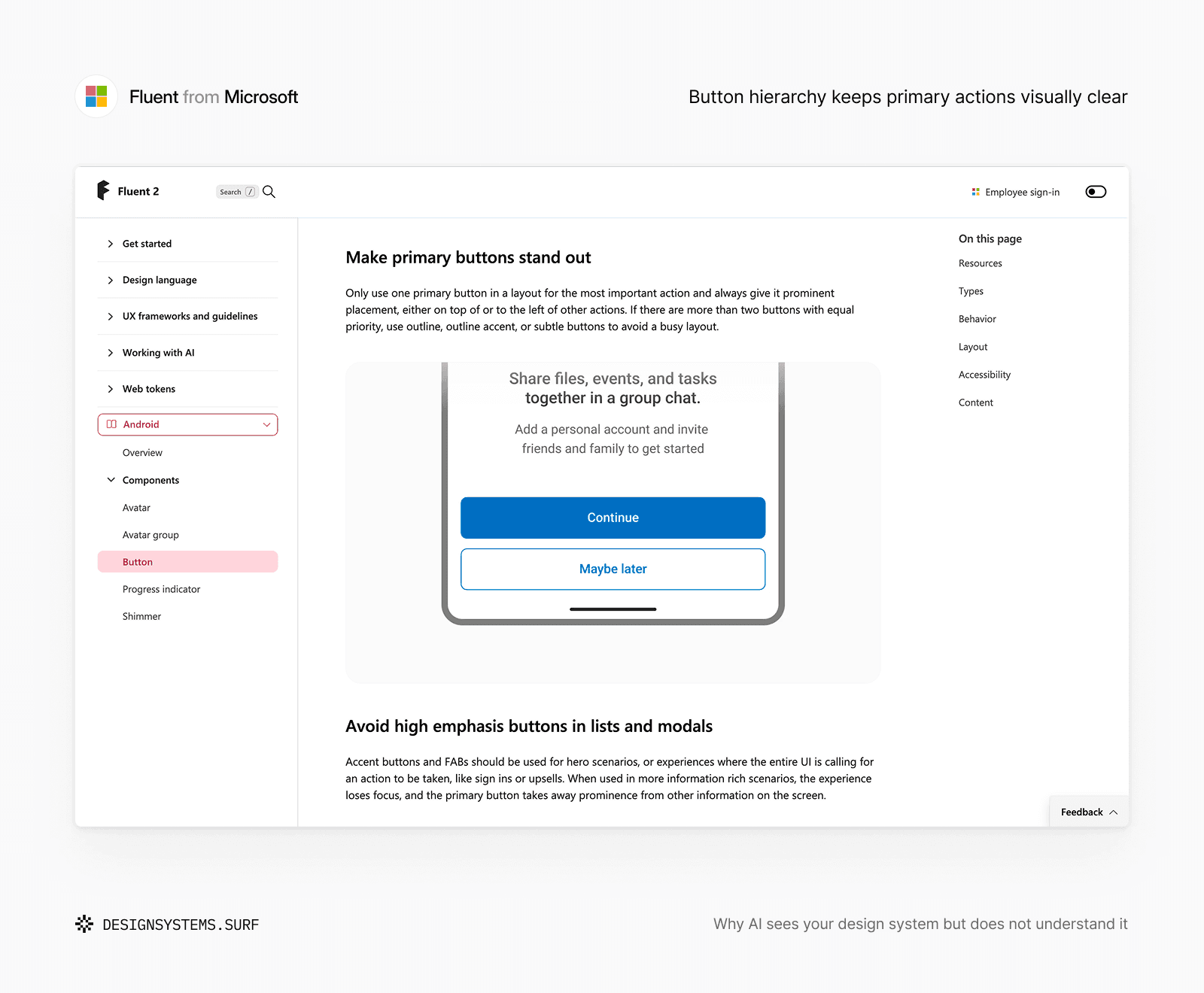
For example, Microsoft's Fluent makes the relationship between button prominence and action hierarchy explicit. Its guidance recommends one primary button for the most important action. When several actions have equal priority, outline or subtle buttons help avoid a competing visual hierarchy. The component exposes the available options, while the guidance explains how those options should represent importance within a layout.
The difference matters because AI does not only retrieve information. It has to apply it.
When asked to create a confirmation flow, write a component example, or suggest an implementation, the model must decide which available option fits the situation. If the sources expose possibilities without explaining their boundaries, AI has to infer the missing rule.
The same issue appears below the component layer. A token file may contain gray-500, text-secondary, and border-muted. Figma may show all three in real screens. Code may expose them as variables.
AI can access the values, names, and examples, but that does not guarantee that it understands their semantic roles.
A designer knows that secondary text, structural separation, and disabled content should not become interchangeable simply because their colors are close. AI needs that distinction to be explicit. Otherwise, visual similarity or frequency of use becomes the strongest signal.
For example, Color Foundation combines token values with semantic roles, usage rules, accessibility constraints, AI context, and developer handoff.


The working assets show what exists. The surrounding guidance explains what those values are intended to do as they move across design, code, documentation, and AI workflows.
This is one of the basic requirements of AI-readiness. AI needs more than the correct asset. It needs enough interpretation to understand which system decision that asset represents.
Access makes the material available. Interpretation makes it usable.
More sources can create more confusion
Teams often assume that connecting more sources will close the remaining gaps. If Figma is incomplete, add Storybook. If documentation is vague, add code. If implementation differs from design, add production examples.
More sources improve coverage, but they can also expose several versions of the same decision. Figma may show the latest visual structure while code supports an older API. Documentation may describe intended behavior but lag behind a release, while production contains valid exceptions that should not become reusable patterns.
Each source can be accurate in its own context. AI still needs to know its role and authority.
A real example can still teach the wrong rule
Suppose documentation shows a compact form layout in an admin interface because the product supports dense operational work. AI later receives a request to create a customer-facing payment form.
Without an explanation of why the compact layout exists, AI may generalize it. It has found a real system pattern but missed its scope. Examples need to clarify what they demonstrate, where they apply, and which details are specific to one product. Otherwise, AI may treat every observed pattern as precedent.
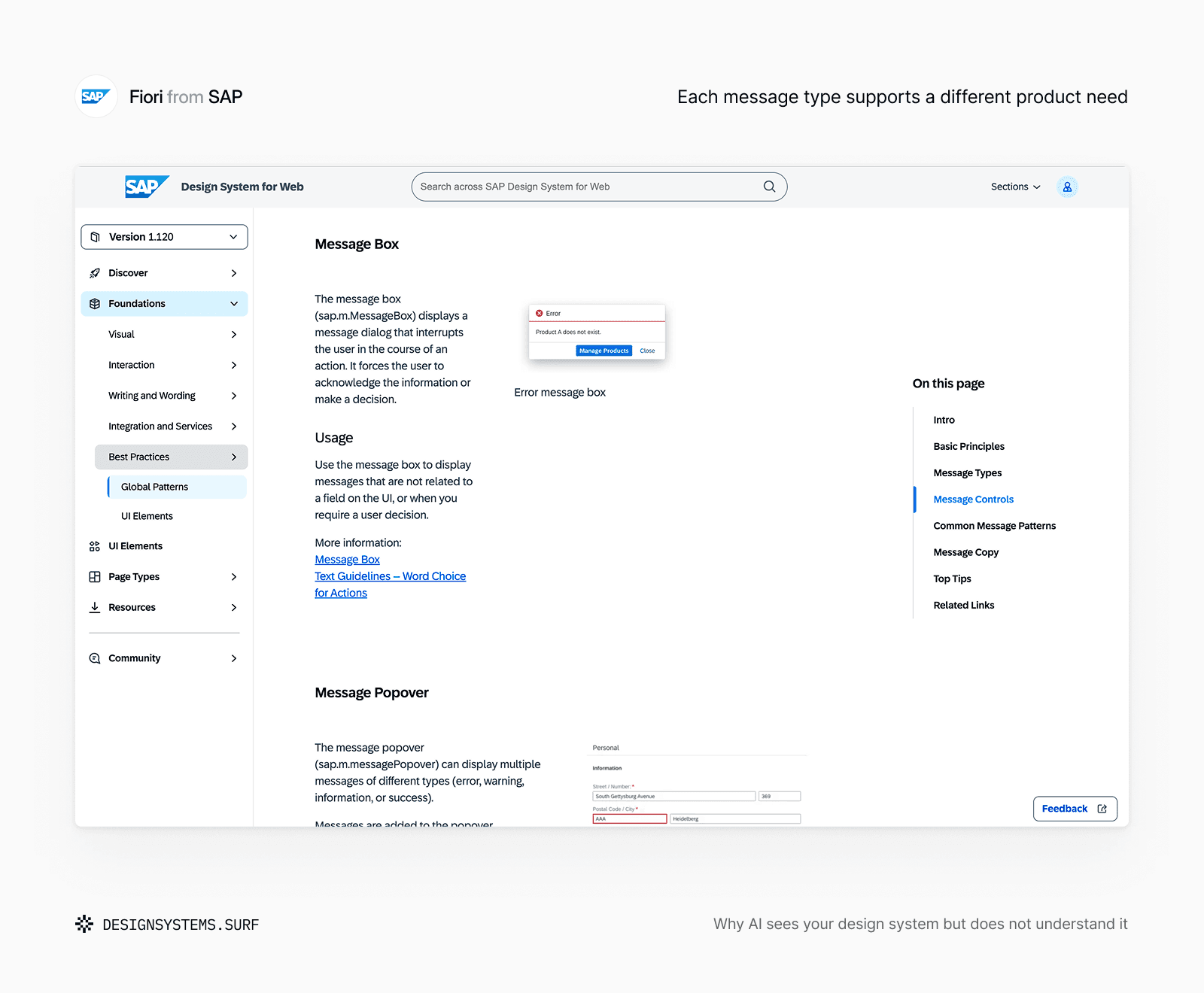
SAP Fiori applies the same idea to system messages. A message box interrupts the task, a toast communicates a brief result, a message strip remains within page content, and value states connect feedback to individual fields. Each is a valid system asset, but its defined purpose and scope explain which communication need it is designed to support.
The same problem appears when a spacing scale is available across Figma, code, and token files. Values such as space-100, space-200, and space-300 show which options exist, but not whether a gap represents grouping, separation, density, hierarchy, or responsive change.
A compact gap may be correct inside a dense data table but inappropriate in a customer-facing payment form. AI can see both examples without understanding why the same scale is applied differently.
For example, Spacing Foundation connects spacing values to grouping, density, hierarchy, layout context, usage boundaries, and implementation guidance.


The scale is only one part of the system. Its meaning comes from the rules that explain how the scale should change across different interface contexts.
An AI-ready design system does not only provide examples for AI to copy. It explains what each example proves, what remains local, and where the pattern should not be generalized.
What exists is not always what should be used
A component can exist in Figma while still being experimental. A code property can remain available only to support older products. A documentation page can describe a pattern that has been superseded. A token can be valid while already scheduled for deprecation.
Consider a team replacing ContentCard with a new Card component. Figma contains both during migration. Code supports both because several products have not moved yet. Documentation describes the new component, while production contains hundreds of examples of the old one.
From the amount of evidence alone, ContentCard may appear more established. From the system’s actual direction, it is the option that should no longer be introduced.
This is not a missing-file problem. It is missing status and authority.
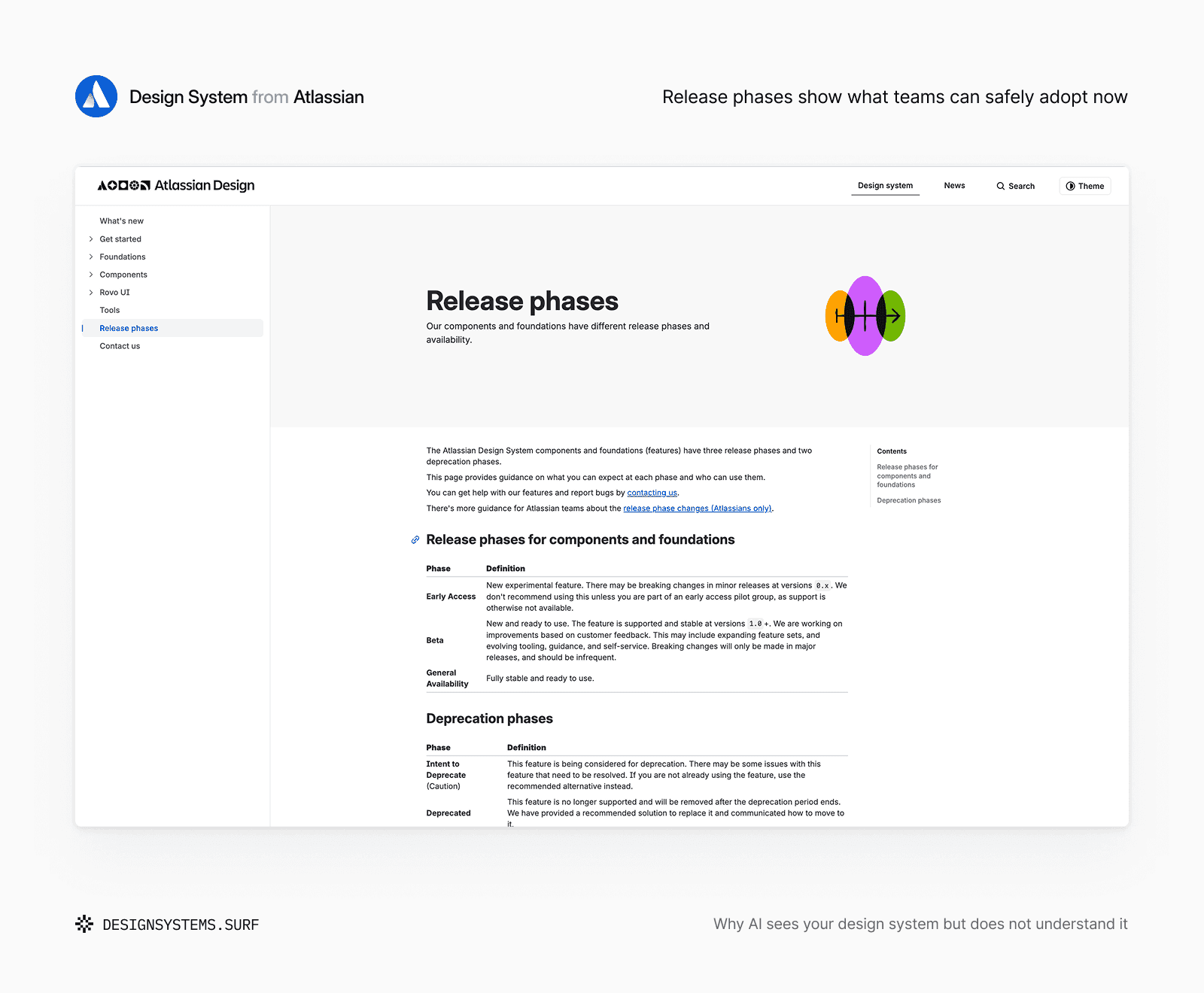
Atlassian adds another layer of interpretation through release phases. Early Access identifies work that may still change, Beta signals supported and stable availability with ongoing improvement, and General Availability marks full stability. Deprecation phases communicate the transition away from an existing feature. The asset may remain accessible, but its phase explains whether it is experimental, supported, stable, or being retired.
Release information, migration guidance, maintenance records, and deprecation decisions are part of AI context because they explain not only what exists, but how the system currently evaluates it.
More access does not automatically make an AI workflow safer. Without status and scope, it may make outdated or exceptional patterns easier to find and reuse.
Context turns scattered evidence into one system
System context is often reduced to an extra Markdown file attached to a prompt. The format can help, but context has a broader role: it explains how separate representations belong to the same decision.
For AI to apply a system reliably, it needs to understand purpose and usage, supported boundaries, status, authority, and how the decision maps across design, code, documentation, accessibility, and releases. These elements do not need to live in one document. They need to remain connected and consistent enough for AI to reconstruct the same decision the team expects people to follow.


Across DSS Products, the AI context .md captures purpose, naming logic, usage rules, constraints, and assumptions that cannot be recovered reliably from Figma alone. Accessibility guidance preserves another hidden layer, including contrast requirements, focus treatment, readability limits, and prohibited combinations.
System context is not another source beside Figma and code. It is the layer that explains how those sources should be read together.
Developer handoff preserves the same meaning as the decision moves into implementation. A Figma variable may map to a token with a different name, a design property may require several implementation details, and platform constraints may change behavior without changing intent.
In DSS Foundation products, developer handoff keeps these mappings explicit so implementation does not reinterpret the decision as a new rule.
The goal is not to make every source identical. It is to preserve the decision as its representation changes.
AI needs to know what to trust
Different design system decisions often belong to different sources. Code may define runtime behavior, Figma may own approved structure, documentation may explain usage, token data may preserve machine-readable relationships, and release records may show what is currently supported.
The goal is not to force every type of truth into one file. It is to make authority explicit enough that conflicts can be resolved without guessing.
AI might encounter a Figma property called emphasis, a code property called variant, and documentation that maps the supported values between them. The names do not need to match if the relationship is clear. Without that mapping, AI may treat them as separate models, rename the API, or combine values that were never intended to align.
Authority also needs boundaries. Production code shows what currently runs, but it should not turn a legacy workaround into a recommended pattern. A common example may demonstrate usage without defining the system rule. Documentation may describe intended behavior while release information determines whether that behavior is available.
When these roles are explicit, AI can follow the authoritative decision, recognize intentional differences, and flag unresolved conflicts instead of selecting whichever source looks most plausible.
An AI-ready design system does not need one universal source of truth. It needs a clear model of which source owns each part of the decision.
Access is not understanding
Connecting more sources can make AI better informed, but it can also expose more ambiguity. Without clear meaning, status, relationships, and authority, AI still receives a collection of clues and has to assemble the system itself.
Access is the technical connection to Figma, code, documentation, and token data. Understanding comes from the decisions that explain how those sources should be interpreted together, which information remains current, and what must not be inferred.
That is what separates a connected design system from an AI-ready one: its sources become parts of one explicit, current, and trusted decision model.

