
Spacing Foundation
Build an AI-ready Spacing Foundation without starting from scratch
Turn arbitrary gaps and padding into a consistent spacing rhythm your team can customize, document, and hand off to development
Trusted by designers from
Spacing gets messy when gaps are created case by case. Most teams lack shared rules for rhythm, density, and implementation
_
Most spacing systems stop before they become usable infrastructure
Having spacing values is not the same as having a scale, rhythm rules, density logic, grouping guidance, and handoff structure
of teams connect tokens across design tools, code, and documentation
Source: zeroheight, 2026
+
of developers and designers say handoff between design and code could be improved
Source: Figma, 2025

1
Local spacing
Spacing values chosen locally without shared scale or usage rules
2
Shared values
Reusable values grouped by size or visual appearance
3
Primitive tokens
Spacing values organized into a structured primitive tokens
4
Semantic roles
Spacing tokens mapped to gaps, padding, and density
5
Documented rules
Rules explain grouping, density, usage, and exceptions
6
System layer
AI context, handoff, and density modes work from one model
Bring structure to your spacing system, wherever you're starting from
Start from scratch, clean up existing spacing values, prepare handoff, or customize your spacing rhythm with AI

Start with rhythm, not just pixel values
Turn gaps, padding, and margins into a system for grouping, hierarchy, and product density

Turn spacing values into a system
Audit existing gaps, clean up local exceptions, and define reusable spacing rules

Use AI without breaking spacing logic
Adapt spacing scale, density, and naming with AI while preserving product rhythm

Bridge between design and code
Connect spacing roles to token meaning, layout behavior, and implementation rules
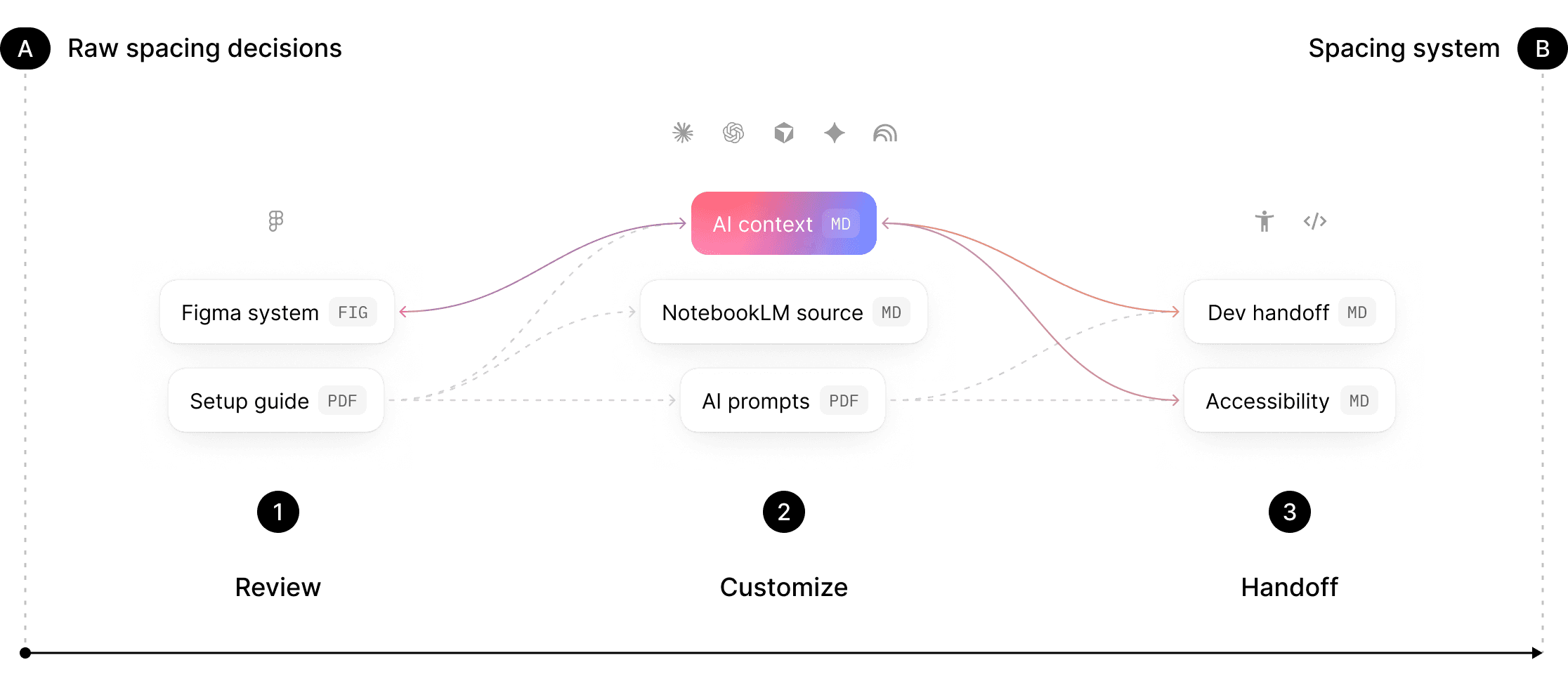
From arbitrary gaps to a consistent spacing rhythm
Turn disconnected spacing values into a structured scale, density rules, grouping logic, and developer-readable handoff
Arbitrary gaps without clear usage
Shared spacing scale with clear usage logic
Padding created case by case
Defined padding, gap, and grouping rules
Developers guess which spacing value to use
Developer-readable spacing handoff
Density handled inconsistently
Density decisions documented
Similar patterns use different spacing
Consistent layout rhythm across product surfaces
Spacing values hardcoded in implementation
Spacing tokens mapped to implementation rules
Turn local spacing choices into reusable system roles
Replace disconnected gaps and padding with semantic roles for layout rhythm, grouping, density, and handoff
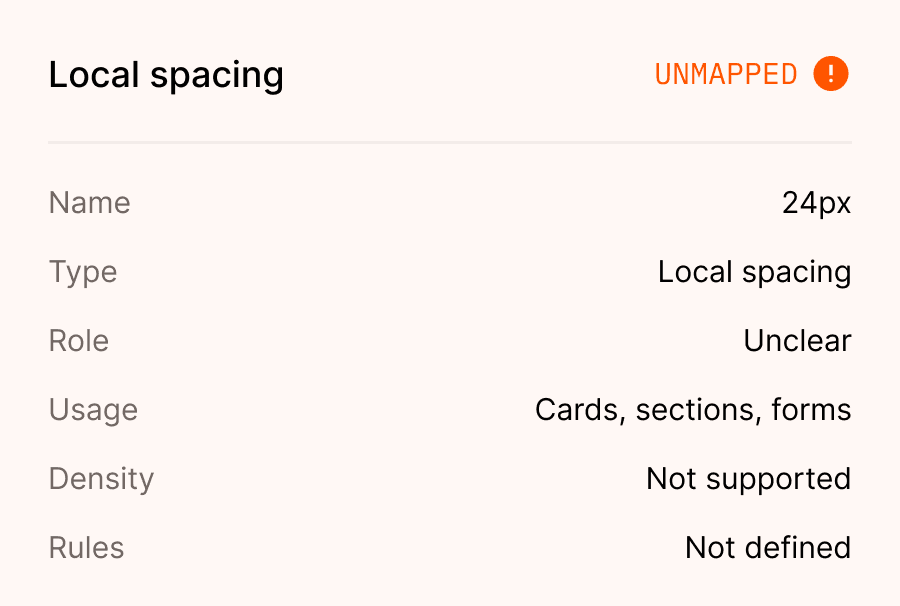
Before
Local gaps, mixed padding, unclear grouping logic, and repeated decisions
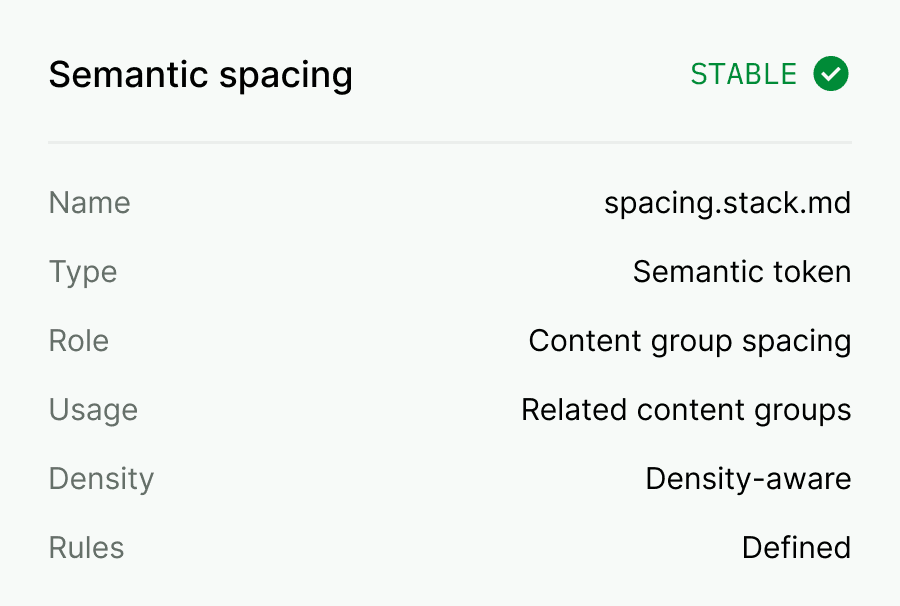
After
Spacing scale, rhythm rules, density logic, and developer-readable handoff
Customize, document, and hand off your spacing foundation
Adapt spacing roles, document rhythm rules, and give developers the logic behind gaps, padding, density, and implementation
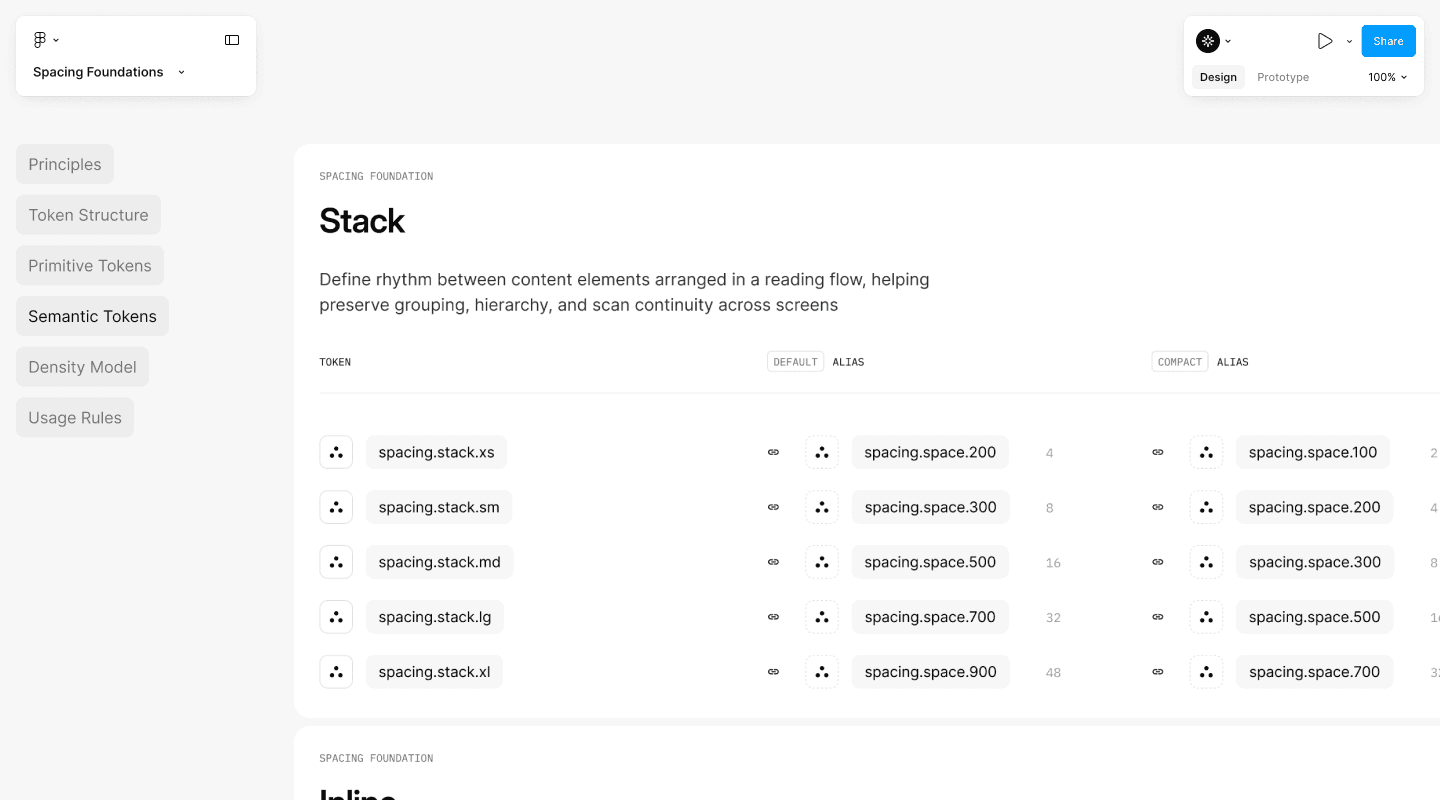
Figma file
fig
Build from a structured spacing foundation with tokens, semantic roles, density modes, and documentation in one file
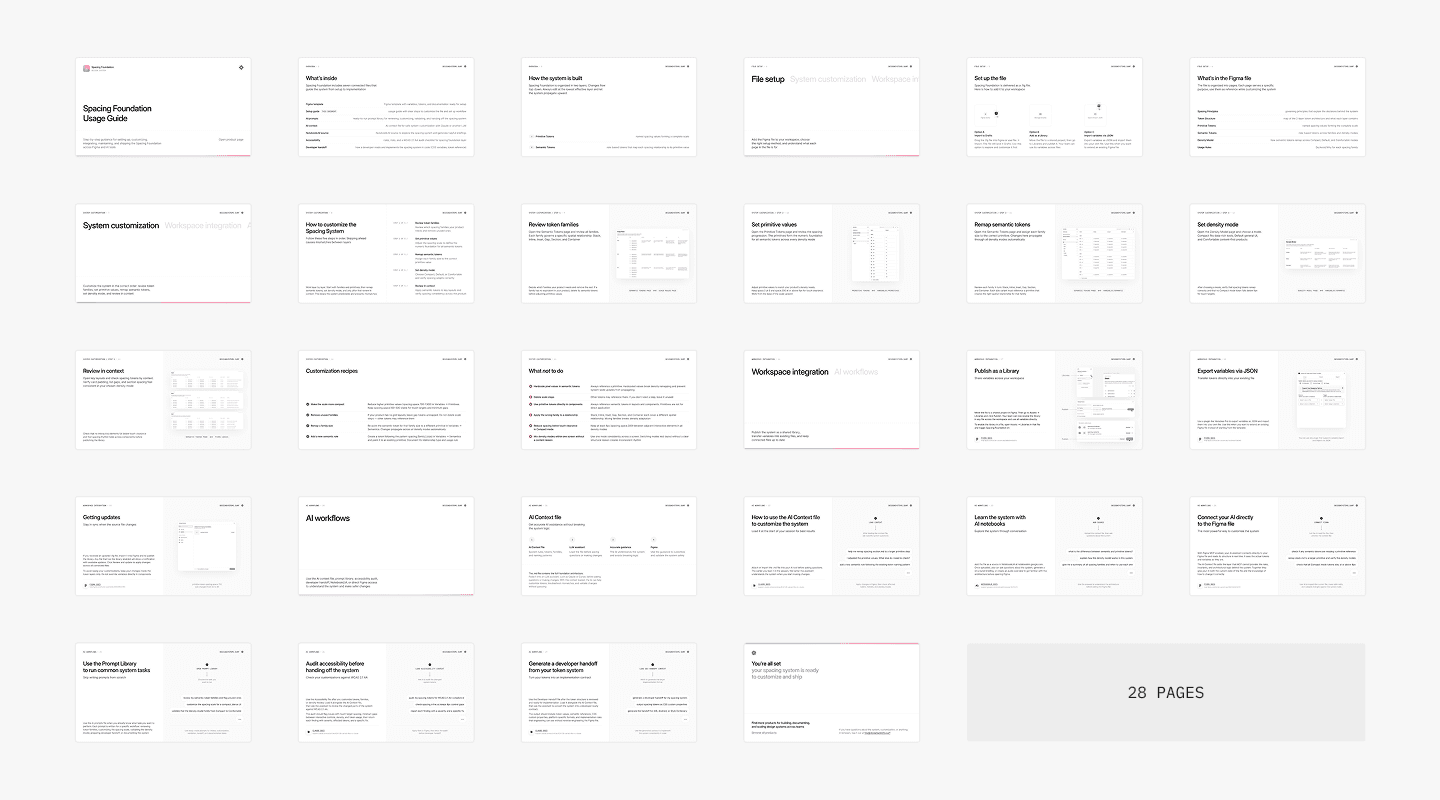
Setup guide
Customize your spacing scale, density rules, grouping logic, and workflow step by step without breaking the system structure
AI prompts
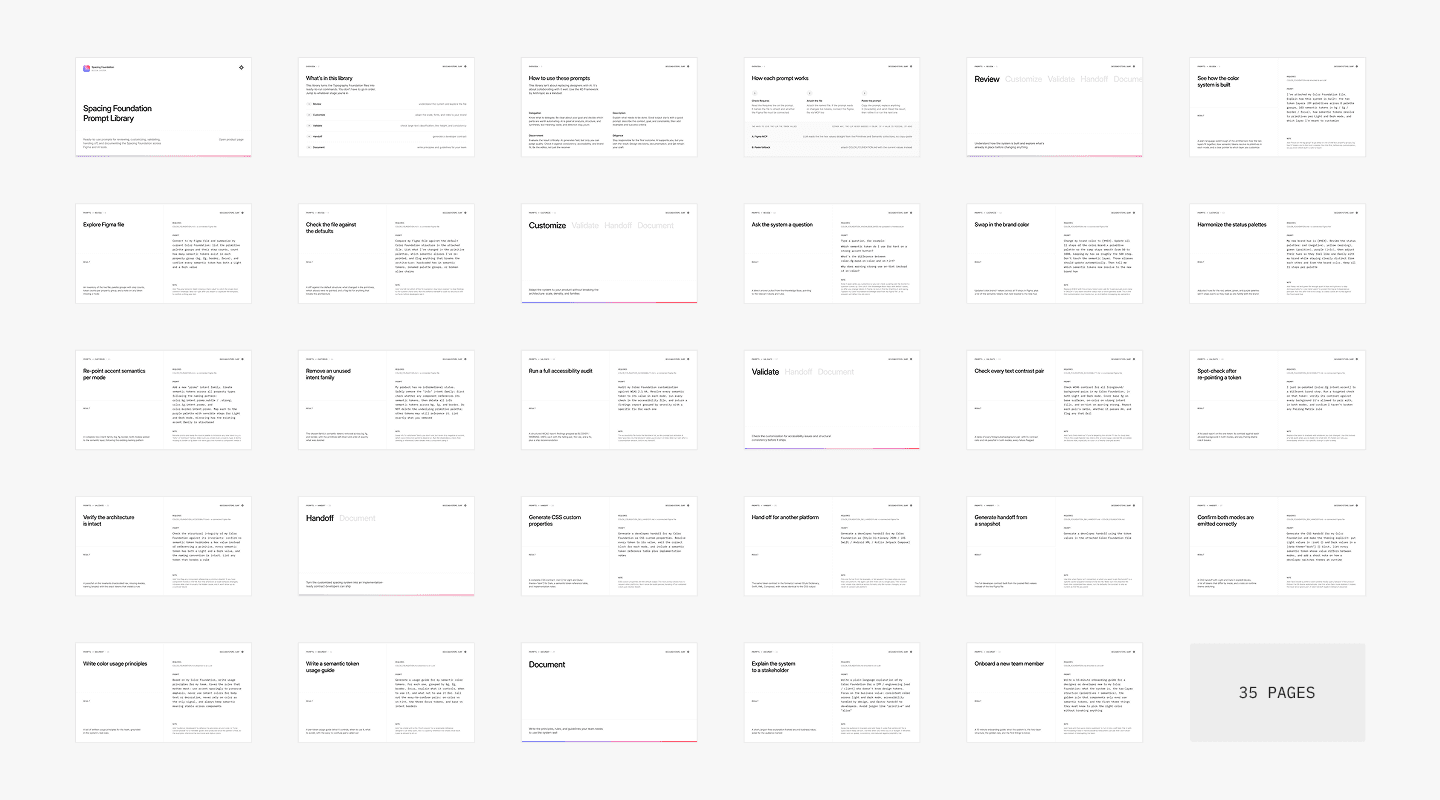
Audit spacing values, adapt spacing roles, review density risks, and prepare handoff with repeatable prompts
AI context
Md
Give an LLM the spacing rules and constraints for safer customization
Gemini Notebook
Md
Explore the system and generate briefings from one source
Accessibility
Md
Review touch support, cramped layouts, grouping clarity, and density risks
Dev handoff
Md
Explain spacing roles, token mapping, density behavior, and implementation guidance


Make spacing decisions easier for devs to implement consistently
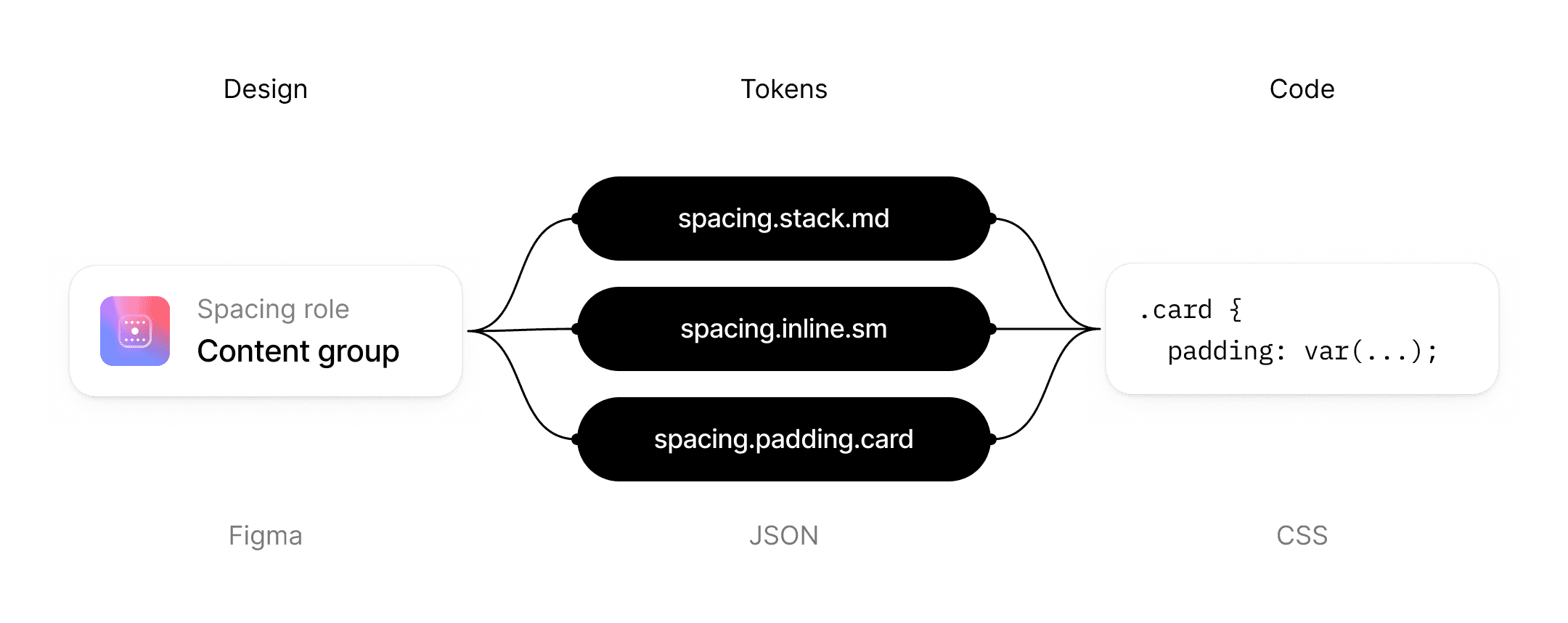
The dev handoff file explains spacing roles, density, gap vs padding, and implementation rules
Token meaning
Explain what spacing tokens represent and how to use them in design and code
Rhythm logic
Clarify stack, inline, layout gap, padding, and density relationships across product surfaces
Usage rules
Show where spacing roles should and should not be used to avoid local exceptions
Implementation notes
Give developers the logic behind spacing, density, and implementation
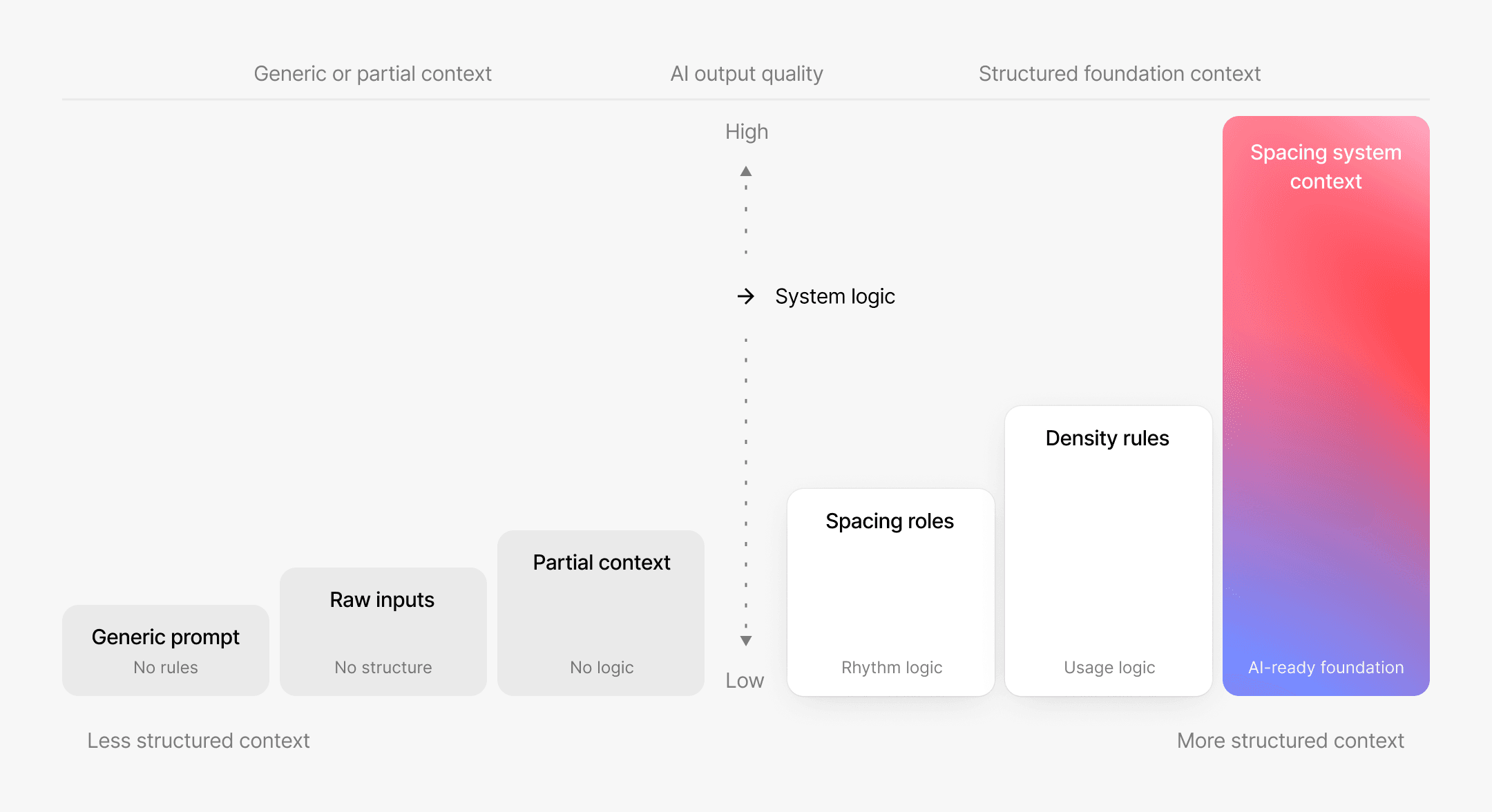
Use AI with spacing system context, not generic prompts
Give Claude or another LLM the rules, constraints, and spacing logic it needs to help without inventing a new system
OpenAI frames context optimization as a core lever for improving LLM accuracy
Source: OpenAI, LLM Accuracy Guide
Role-safe changes
Adapt spacing, density, grouping, and naming without breaking the system model
System-aware audit
Find arbitrary gaps, duplicate values, unclear roles, and inconsistent spacing usage
Accessibility review
Check density, cramped elements, grouping clarity, and touch support risks
Handoff-ready notes
Turn spacing logic into clearer explanations for developers
It's been quite helpful to wrangle all of these seemingly disparate systems into a singular lens and understand how to get started
Dallas Kwok
Lead Designer
Use Spacing Foundation when spacing decisions get inconsistent
Whether you are starting from scratch, cleaning up gaps and padding, defining density logic, or preparing developer handoff
Start from scratch with a spacing system
When you are building a new product or design system, spacing decisions can turn into disconnected values quickly. Spacing Foundation gives you a structured model from day one: spacing scale, semantic roles, density logic, documentation, AI context, accessibility notes, and developer handoff
Outcome
You start with a spacing foundation that is ready to customize instead of inventing every rule from zero
Adapt existing spacing values into product roles
Audit messy gaps and padding
Prepare handoff without guesswork
Deliver client-ready spacing foundations
Built for teams and designers working on spacing systems
Use Spacing Foundation when gaps, padding, density, and rhythm need to be structured, customized, documented, and handed off
01
Product designers
Keep interfaces consistent with reusable spacing roles for forms and content groups
02
UI designers
Turn visual spacing choices into rules for rhythm, grouping, density, and consistency
03
Freelancers and agencies
Deliver client-ready spacing foundations with documentation, AI context, and handoff
04
Design system leads
Standardize existing spacing values with clearer roles, naming, density, and usage rules


























































































Based on analysis of 100+ design systems. Patterns translated into a reusable spacing foundation
Since 2023, Design Systems Surf has cataloged mature design systems across foundations, components, documentation, and implementation patterns.
Spacing Foundation turns that research into reusable spacing roles, density rules, AI context, accessibility guidance, and handoff.
Save 24–36 hours on spacing system work and documentation
Spacing Foundation removes repetitive setup, documentation, AI context, accessibility, and handoff work


Trusted by designers working on design systems
Feedback from people building, auditing, documenting, and maintaining design systems
10k+
Designers across 175+ countries follow Design Systems Surf for design system examples, patterns, and practical resources
What to know before you start
Clear answers about what Spacing Foundation includes, how it can be customized, and how it fits into real design system work
Is this just a Figma template?
No. The Figma file is one part of the package. Spacing Foundation also includes AI context .md, NotebookLM source .md, setup guidance, AI prompts, accessibility .md, and dev handoff .md.
The Figma file gives you the working spacing system. The Markdown files support different AI workflows: customization, knowledge exploration, accessibility review, and developer handoff.
What is included?
Spacing Foundation includes a Figma file, AI context .md, NotebookLM source .md, setup guide, AI prompts, accessibility .md, and dev handoff .md.
The Figma file gives you spacing tokens, a spacing scale, semantic spacing roles, density logic, examples, and documentation. The Markdown files give AI tools the system context needed to help you customize, explore, review, document, and hand off your spacing foundation with less guesswork.
Can I customize it?
Yes. You can adapt spacing values, semantic spacing roles, density behavior, grouping rules, and naming.
The goal is to customize the spacing system without breaking rhythm logic, density logic, accessibility review, or implementation meaning.
Will this fit my brand?
Spacing Foundation is not tied to one fixed visual density or spacing feel. You bring your product or brand direction and map it into product-ready spacing roles.
If your current spacing has gaps, for example inconsistent padding, unclear content grouping, weak compact density, or too many local exceptions, the setup workflow and AI-ready Markdown files help you identify what needs review before implementation.
Can I use it with an existing design system?
Yes. You can use Spacing Foundation as a reference model to audit or repair an existing spacing system.
It can help you find duplicate spacing values, unclear semantic roles, inconsistent density behavior, weak grouping logic, hardcoded spacing, and gaps in developer handoff. You do not need to replace your whole design system to use it.
Do I need to use AI?
No. You can use the Figma file and setup workflow manually.
AI is optional, but several supporting files are designed primarily for AI-assisted workflows. The AI context .md helps with safe customization. The NotebookLM source .md helps with knowledge exploration, Q&A, and briefings. The accessibility .md helps AI review foundation-level spacing risks. The dev handoff .md helps AI generate developer-facing implementation notes.
Are the Markdown files standalone guides?
They are Markdown files, but they are not all traditional standalone guides.
You can read them manually, but their main purpose is to support AI-assisted workflows. Each .md file has a different role: customization context, NotebookLM knowledge source, accessibility review context, or developer handoff context.
What does the NotebookLM source do?
The NotebookLM source .md is a structured knowledge file for exploring the spacing foundation.
You can upload it to NotebookLM and ask questions about spacing roles, density logic, token meaning, grouping rules, accessibility concerns, and implementation guidance. It helps turn the foundation into a searchable knowledge source for you, your team, or your client.
What does the accessibility file do?
The accessibility .md is designed mainly for AI-assisted review.
It gives AI the review logic for foundation-level spacing risks such as cramped interactive elements, weak grouping, unclear content relationships, density issues, and touch support concerns. It does not guarantee accessibility by itself. You still need to review the actual values and product usage after customization.
What does the dev handoff file do?
The dev handoff .md is designed mainly for AI-assisted handoff generation.
It gives AI the structure to generate developer-facing notes from your customized foundation, including spacing role meaning, spacing scale logic, padding vs gap usage, density behavior, implementation risks, and CSS-oriented token mapping. Developers still need to adapt the output to their codebase, naming conventions, and token pipeline.
Does this include components?
No. Spacing Foundation covers the spacing foundation layer: spacing tokens, semantic spacing roles, density logic, grouping rules, accessibility review logic, and developer handoff context.
It may include examples that show how the spacing roles work, but it is not a production component library.
Does this support density modes?
Yes. Spacing Foundation includes structure for density decisions, including default, compact, and comfortable spacing behavior.
You still need to review your actual spacing values for touch support, cramped layouts, grouping clarity, and implementation behavior after customization.
Who is this for?
Spacing Foundation is for product designers, UI designers, freelancers, agencies, design system leads, design system engineers, consultants, and teams that need to build, repair, document, review, or hand off a structured spacing system.
Is this for beginners or advanced teams?
Both, but for different reasons.
For newer teams, it gives a structured starting point instead of a blank canvas. For mature teams, it works as an audit, repair, documentation, and handoff reference for weak or inconsistent spacing foundations.
How is this different from building it myself?
You can build this yourself. The difference is that you would need to create the token architecture, spacing scale, semantic spacing roles, density rules, setup workflow, AI context, NotebookLM source, prompts, accessibility review logic, and handoff structure from scratch.
Spacing Foundation gives you that structure so you can focus on adapting it to your product, brand, team, or client.
Will developers be able to use it?
Yes, but not as a drop-in code package.
The dev handoff .md helps generate developer-facing notes from the foundation. It explains spacing role meaning, spacing scale logic, padding vs gap usage, density behavior, implementation risks, and CSS variable mapping. Developers still need to adapt the output to their codebase and implementation workflow.
Can I use this for client work?
Yes, if your license allows client use. You can use Spacing Foundation as part of paid client work and deliver a customized foundation to your client.
You cannot resell, redistribute, or repackage the original product as a standalone product or template unless the license explicitly allows it.
What is not included?
Spacing Foundation is not a UI kit, component library, layout template pack, whitespace inspiration guide, or automatic accessibility guarantee.
It gives you the foundation structure, workflow, AI-ready Markdown files, review logic, and handoff structure. You still need to customize values, review the result, and adapt implementation to your product or client environment.
Still have questions?
Reach out at hey@designsystems.surf

