

Design Agents
Turn repeatable design work into reusable AI Skills
Build, test, and adapt structured AI workflows without re-explaining the same rules, context, and process every time
Trusted by designers from
AI workflows get messy when the process stays implicit. Teams repeat instructions, but results still change from run to run
_
Everything you need to build, test, and reuse an AI Skill
Start with one repeatable workflow, turn it into a Skill, test it on real work, and add context only when needed

AI Skill Setup Guide
Build your first Skill step by step, test it on real work, refine the workflow, and set it up in the AI tool you already use
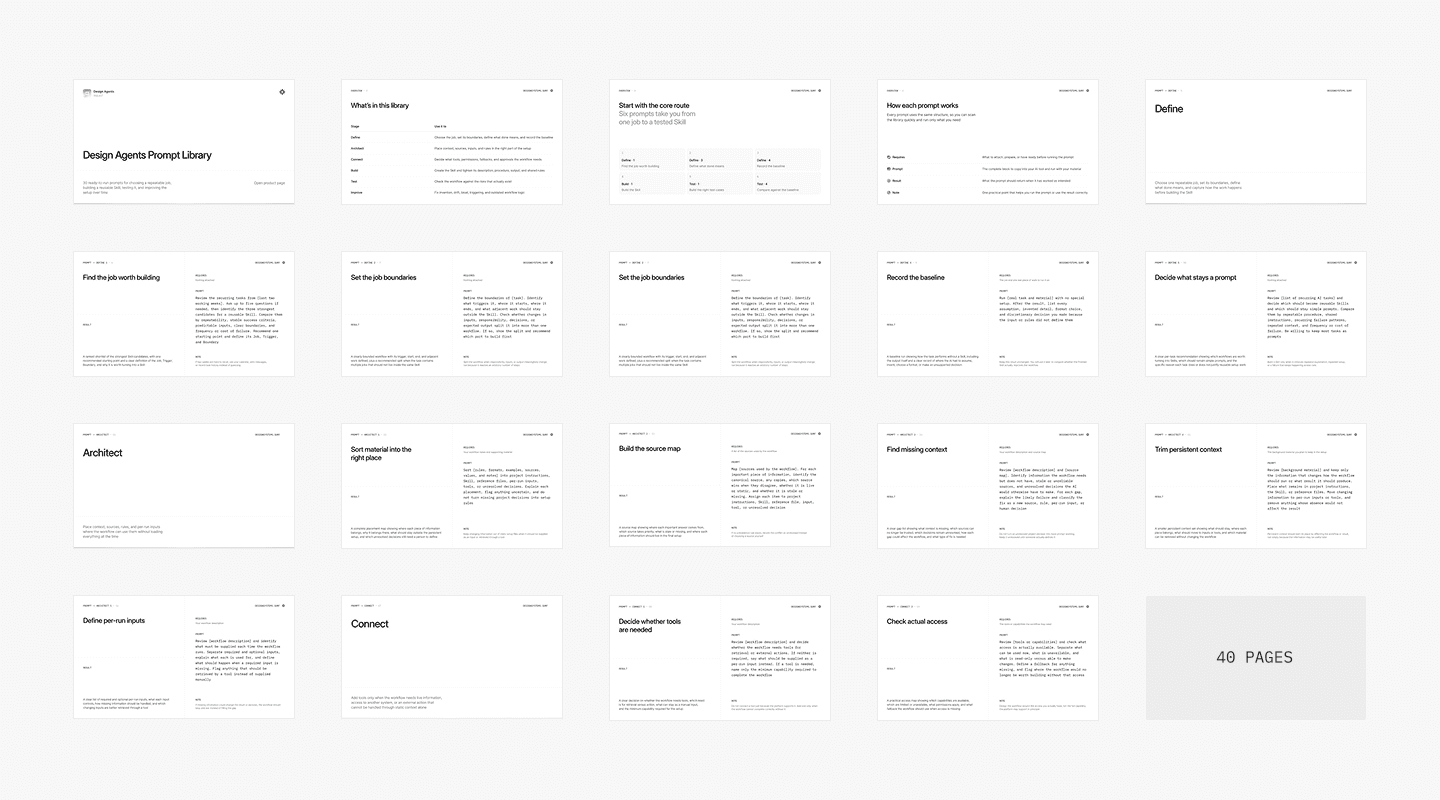
AI prompts
Use 30 ready-to-run prompts across Define, Architect, Connect, Build, Test, and Improve to structure and refine each Skill
Skill Template
Md
Turn one repeatable workflow into a structured Skill with clear inputs, procedure, boundaries, output, and final checks
Tests Template
Md
Check normal cases, missing information, conflicting sources, and other failures before relying on the Skill
Start from three complete, ready-made design system Skills
See how the framework works across design system tasks, then adapt the examples to your own rules and sources

Design Review
Skill
Review screens against supplied criteria and project rules while keeping evidence separate from human judgement

Component Documentation
Skill
Turn supplied component information into consistent documentation while keeping missing or conflicting details visible
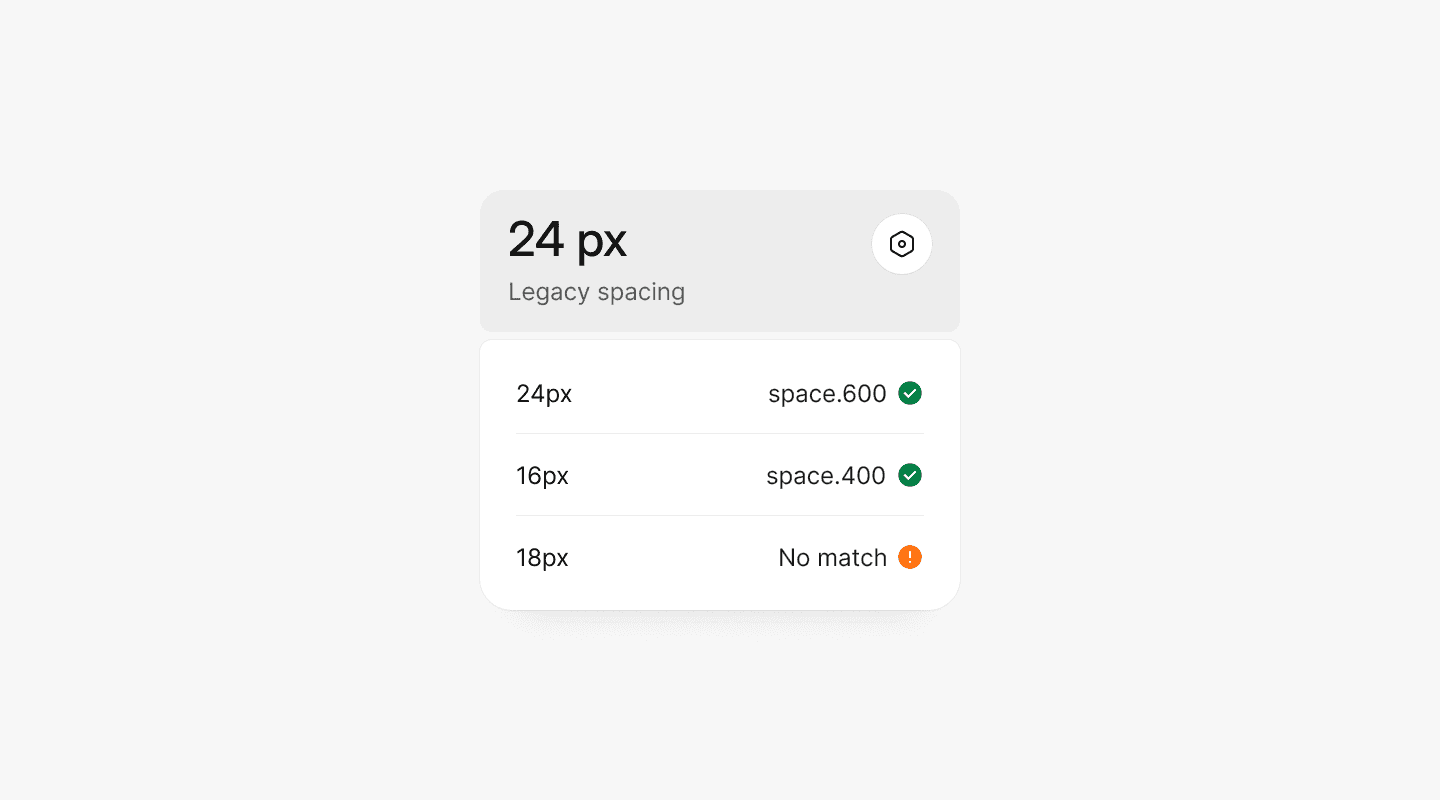
Token Mapping
Skill
Map existing values and legacy styles to established design tokens without inventing missing tokens or hiding ambiguous matches

It gave me a clearer picture of where AI can save time in design-system work while leaving the important decisions and quality checks with the team
Danial Shirali
Product Designer
Use Design Agents when the same AI workflow keeps coming back
Build reusable Skills for recurring tasks where the process stays consistent, but the inputs, sources, or project context change
Turn a recurring task into a Skill
When the same design task keeps returning, repeated prompting creates small differences in process and output. Define the workflow once with clear inputs, steps, boundaries, sources, and checks, then reuse it whenever the task comes back.
Outcome
You get a repeatable workflow that runs from the same rules each time
Standardize design reviews
Create component documentation
Map legacy values to design tokens
Build your own design workflow
Built for designers using AI in repeatable product and design system work
Use Design Agents when prompts are no longer enough, but building complex agent infrastructure would be unnecessary
01
Product designers
Turn recurring product and design tasks into workflows that carry the same rules from one run to the next
02
UX/UI designers
Create repeatable workflows for reviews, documentation, audits, and other structured design work
03
Freelancers and agencies
Reuse proven workflows across recurring client work while adapting the sources, terminology, and rules for each project
04
Design system leads
Capture system-specific procedures, source rules, boundaries, and checks so AI works with the system instead of guessing around it


























































































Based on analysis of 100+ design systems. Patterns turned into reusable AI workflows
Since 2023, Design Systems Surf has studied how mature design systems structure documentation, decisions, foundations, components, and ongoing system work.
Design Agents applies those recurring patterns to reusable Skills, with clear inputs, procedures, boundaries, sources, outputs, and tests.


Trusted by designers working on design systems
Feedback from people building, auditing, documenting, and maintaining design systems
10k+
Designers across 175+ countries follow Design Systems Surf for design system examples, patterns, and practical resources
What to know before you start
Clear answers about what Design Agents includes, what a Skill is, and how the toolkit fits into real design work.
Is this a library of AI prompts?
No. The Prompt Library is one part of the toolkit.
The main goal is to turn a repeatable workflow into a reusable Skill with defined inputs, procedure, boundaries, output, and tests. The prompts help you build and improve that setup.
What is included?
Design Agents includes an AI Skill Setup Guide, 30-prompt Prompt Library, Skill Template, Tests Template, and three ready-made Skills for Design Review, Component Documentation, and Token Mapping.
What is an AI Skill?
A Skill is a reusable set of instructions for one defined workflow. It describes what the task needs, what the AI should do, where it should stop, and what the final result should contain.
Do I need to build an AI agent?
No. You start with one repeatable task and one Skill.
Additional context, project instructions, sources, or tools are added only when the workflow actually needs them.
Do I need coding experience?
No. The core workflow uses Markdown files and your existing AI tool. You can build and customize a Skill through conversation without writing application code.
Can I customize the ready-made Skills?
Yes. Each example is designed to be adapted to your own terminology, sources, rules, thresholds, and output requirements.
Which AI tools can I use?
The guide covers Claude, Cursor, Codex, and ChatGPT, including how the same core Skill structure maps to each environment.
Can I build Skills outside design systems?
Yes. The framework works for other repeatable design and product workflows where the procedure stays relatively stable while the input changes.
The included examples focus on design system work.
Should every recurring task become a Skill?
No. One-off tasks and work that changes substantially every time are usually better handled with a normal prompt.
The toolkit helps you identify which workflows are structured and repetitive enough to justify reusable setup.
Can I use it for client work?
Yes. You can adapt the templates and Skills to project-specific rules, terminology, sources, and workflows.
Still have questions?
Reach out at hey@designsystems.surf

