Do you have a Typography System or just text styles?
6 min read
Typography is often the first place where a design system starts to drift. Not because teams ignore it, but because its rules are rarely made explicit. This article looks at how typography behaves inside a design system and how to recognize when structure quietly turns into chaos.

Founder of Design Systems Surf
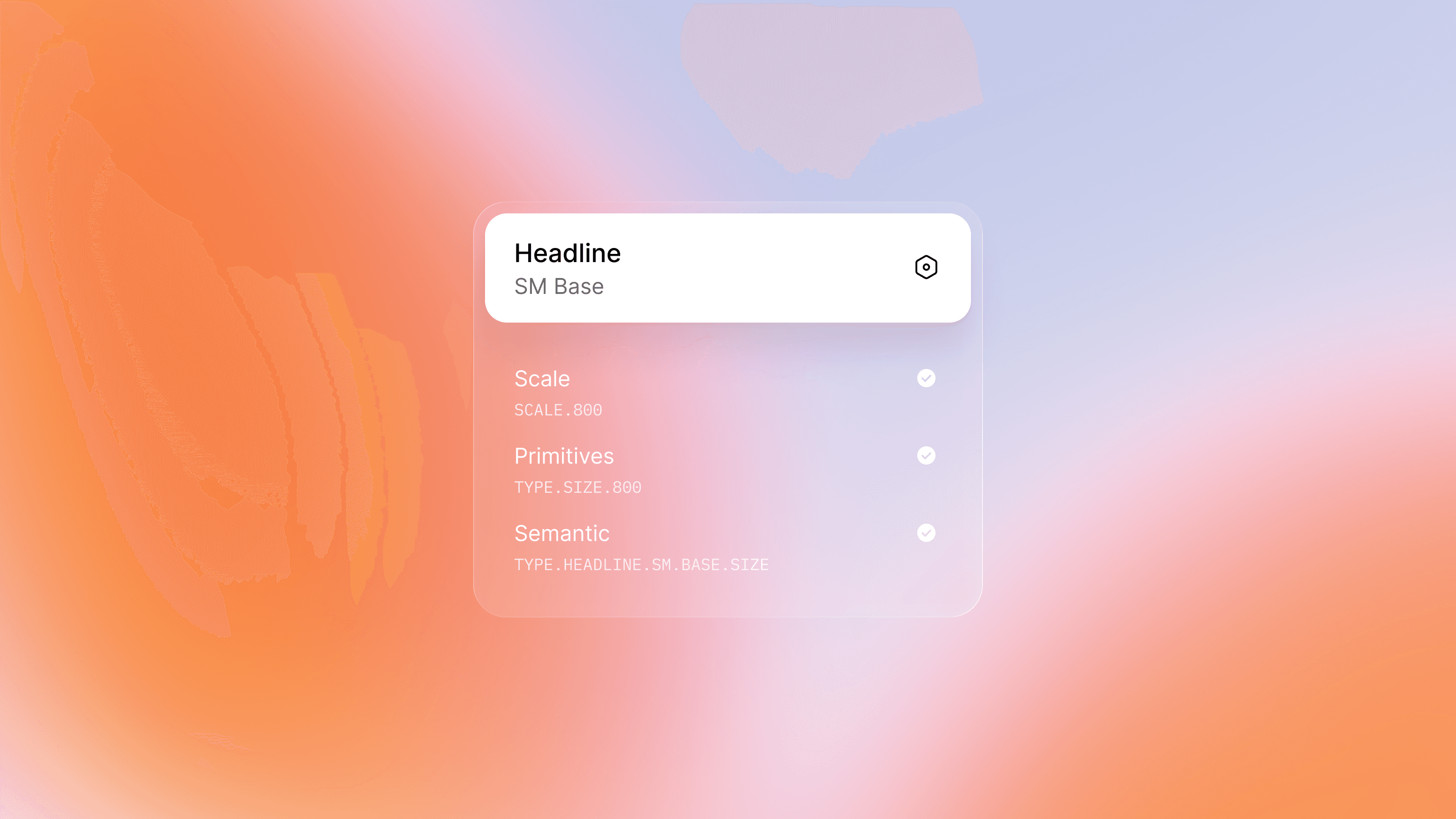
Most teams don’t set out to build messy typography. They start with good intentions: a typeface, a scale, a neat list of text styles. Headings, body, captions. Everything looks clean. Everything feels “systematic.”
And then the product grows.
A new screen needs slightly tighter text. A table doesn’t quite fit. Marketing asks for emphasis. Someone adds a “temporary” style. Another exception appears. No one removes the old ones.
Typography still looks consistent, but something has changed. It no longer behaves like a system.



PRO
Why typography matters more than we think
Typography has a quiet but outsized role in interface design. It appears everywhere: onboarding flows, navigation, forms, tables, empty states, error messages, long-form content no one anticipated at the beginning. In most products, text appears more often than any other UI element.
This wasn’t always the case. In print design, typography had to be a system. Long before digital products, typographers worked with clear rules for hierarchy, spacing, and rhythm. Those rules were not about personal taste. They existed to make large amounts of information readable and usable, an idea strongly associated with designers like Jan Tschichold, who believed that typography works best when structure comes before decoration.
That’s why typography tends to reveal the true state of a design system faster than colors, components, or icons. When design system typography drifts, the system is usually drifting with it.
Typography in a design system is not a list of text styles
Many teams equate a typography system with a set of text styles. Headings have sizes. Body text has weights. Everything is neatly labeled. On paper, this looks complete.
But text styles only describe how text looks. Typography in a design system defines how text behaves.
It covers questions a style list usually leaves unanswered, such as when a level of emphasis is appropriate, which options should not exist at all, how hierarchy survives across contexts, and what stays stable as layouts change. Without this shared understanding, consistency is visual but fragile.
This way of thinking isn’t new. Modernist design movements such as the Bauhaus treated typography as a system of constraints. Limiting type choices wasn’t a creative limitation — it was a way to ensure clarity, predictability, and shared understanding. The system worked precisely because not every decision was open for reinterpretation.
This is why a typography system is not the same thing as a collection of text styles.A system is built on rules, constraints, and shared agreement, not just on sizes and weights.
How to tell if you don’t actually have a typography system
You can usually sense the absence of a system without running a formal audit. Designers hesitate before adding text because they’re unsure which style fits. Body text exists in several almost-identical sizes. Headings feel interchangeable. Components quietly introduce their own typographic decisions. Line heights shift slightly from screen to screen.
None of this indicates poor design work. It usually means typography decisions were made locally, in response to real problems, but never pulled back into a shared structure.
Large organizations faced this exact issue long before digital products existed. When companies like IBM began operating at global scale, typography could no longer depend on individual designers’ judgment. Without shared rules, visual identity fractured.Corporate typography guidelines emerged as a practical way to keep communication consistent across teams, formats, and regions as organizations grew.
If this sounds familiar, the first useful step is simply making the situation visible. A short review of existing styles, their usage, and the gaps between them often reveals more than expected. The Typography Audit Checklist was created specifically for this kind of quick, reality-based review, without turning it into a technical exercise.
Why typography breaks first
Typography tends to break before other foundations for a simple reason: text is everywhere. Every new feature introduces more copy than anticipated. Every edge case creates pressure for exceptions. And unlike colors or spacing, typography sits at the intersection of design, product, content, and engineering. Agreement is harder to reach, and decisions are easier to postpone.
In editorial design, this problem was solved differently. Even as their content changed day after day, newspapers and magazines relied on stable structure and hierarchy to stay readable. Typography systems made that possible. The content changed daily, but the rules stayed stable. In digital products, speed and flexibility often reversed this relationship — rules adapt to content instead of containing it.
Over time, typography becomes a collection of reasonable compromises. Each one makes sense in isolation. Together, they weaken the system.
Common mistakes teams make (and why they’re understandable)
Most typography issues follow a familiar pattern. Too many styles exist “just in case.” Usage rules are implied rather than documented. Typography is defined separately from components, so real interfaces slowly drift away from the original intent. New styles can be added freely, but nothing is ever removed.
These are not failures of taste or skill. They are the natural outcome of a system that never fully defined its boundaries.
From scattered styles to a shared foundation
Moving from scattered styles to a typography system does not require starting from scratch. It requires agreement.
The work usually begins by understanding what already exists, then deciding what should be fixed, constrained, or removed. From there, the focus turns to building a shared foundation designers and engineers can trust, without reopening the same discussions every time.
The Typography Foundation Operating Kit is designed for that stage. What matters most is making implicit decisions visible and creating a shared reference that evolves alongside the product.
Typography as a shared language
A typography system reduces repeated decisions and helps make interfaces predictable in the best possible way. When typography is treated as a shared language rather than a collection of styles, design systems become easier to maintain, products grow more coherently, and teams spend less time debating details that should already be settled.
If typography is the language of an interface, the system is its grammar. And once grammar is agreed upon, it quietly does its job — everywhere.

